Track habits in Markdown.
Visualize in vibrant heatmaps.
Unify manual daily journaling, Android Health Connect metrics, and automated REST APIs inside your Obsidian vault—with annual heatmaps, streak analytics, and encrypted local Wi-Fi sync.
Plain Markdown Storage
Logs live in Habit Logs/YYYY-MM-DD.md as clean YAML frontmatter—human-readable, future-proof, and Dataview-ready.
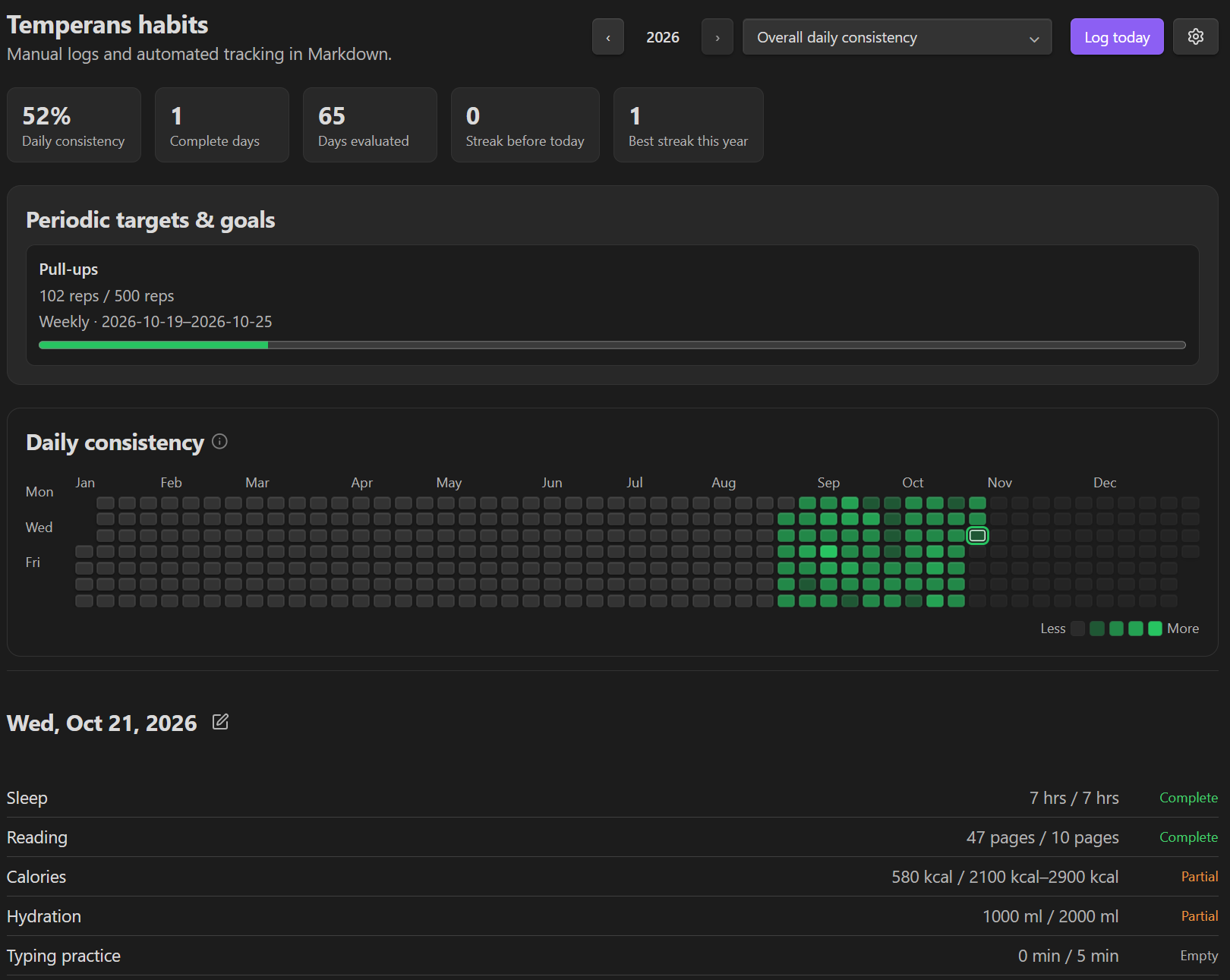
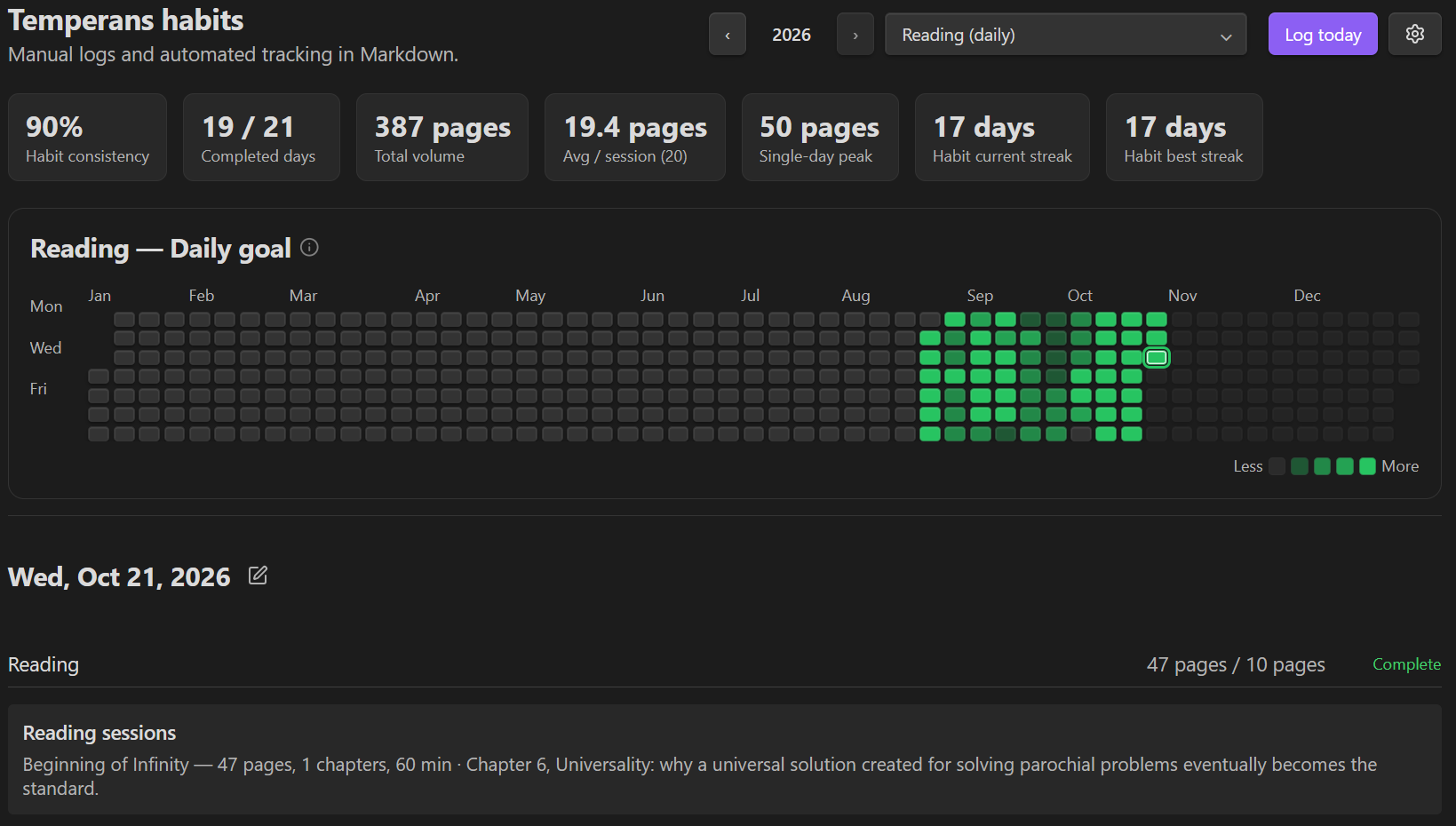
53-Week & Monthly Grids
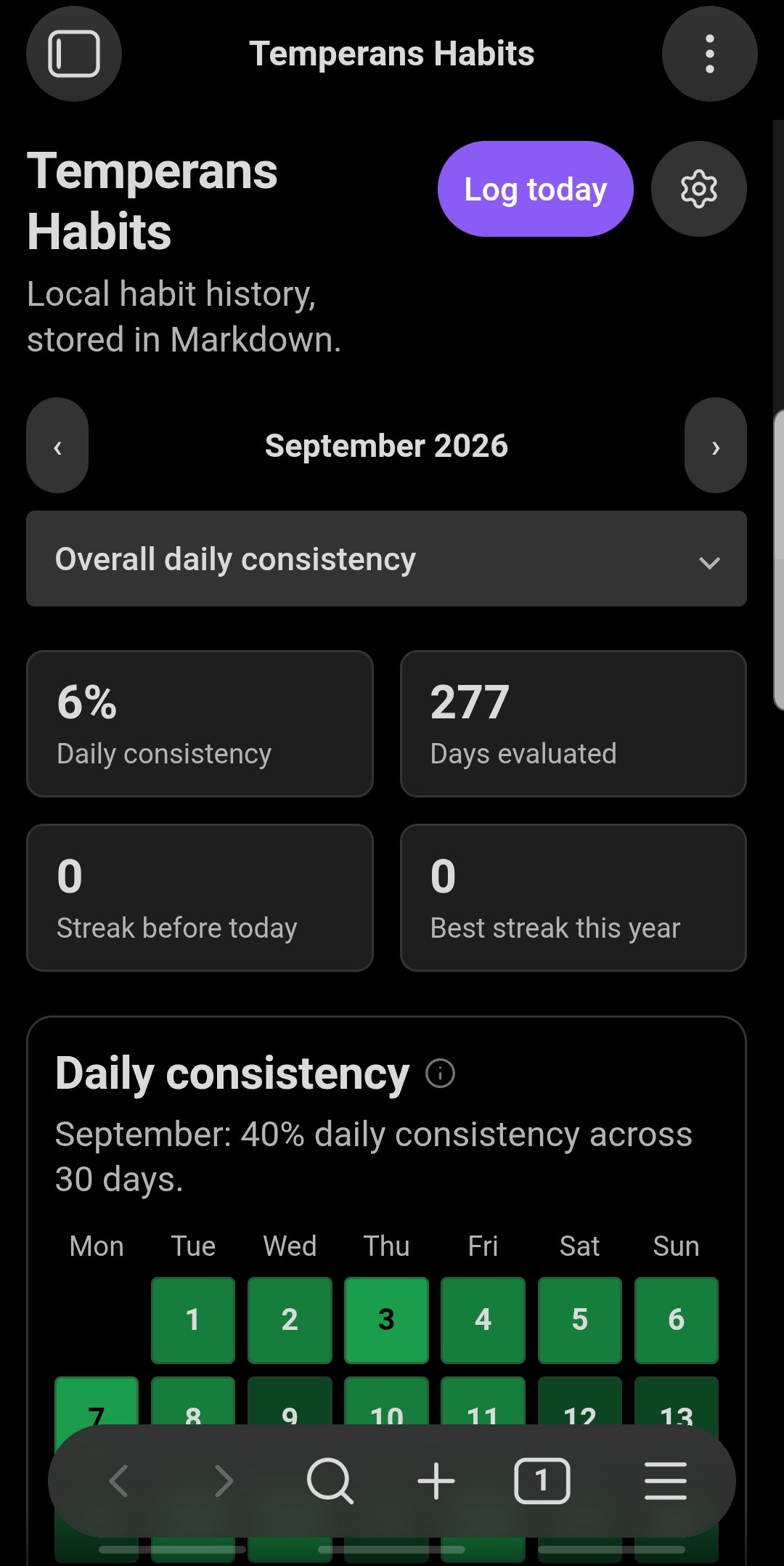
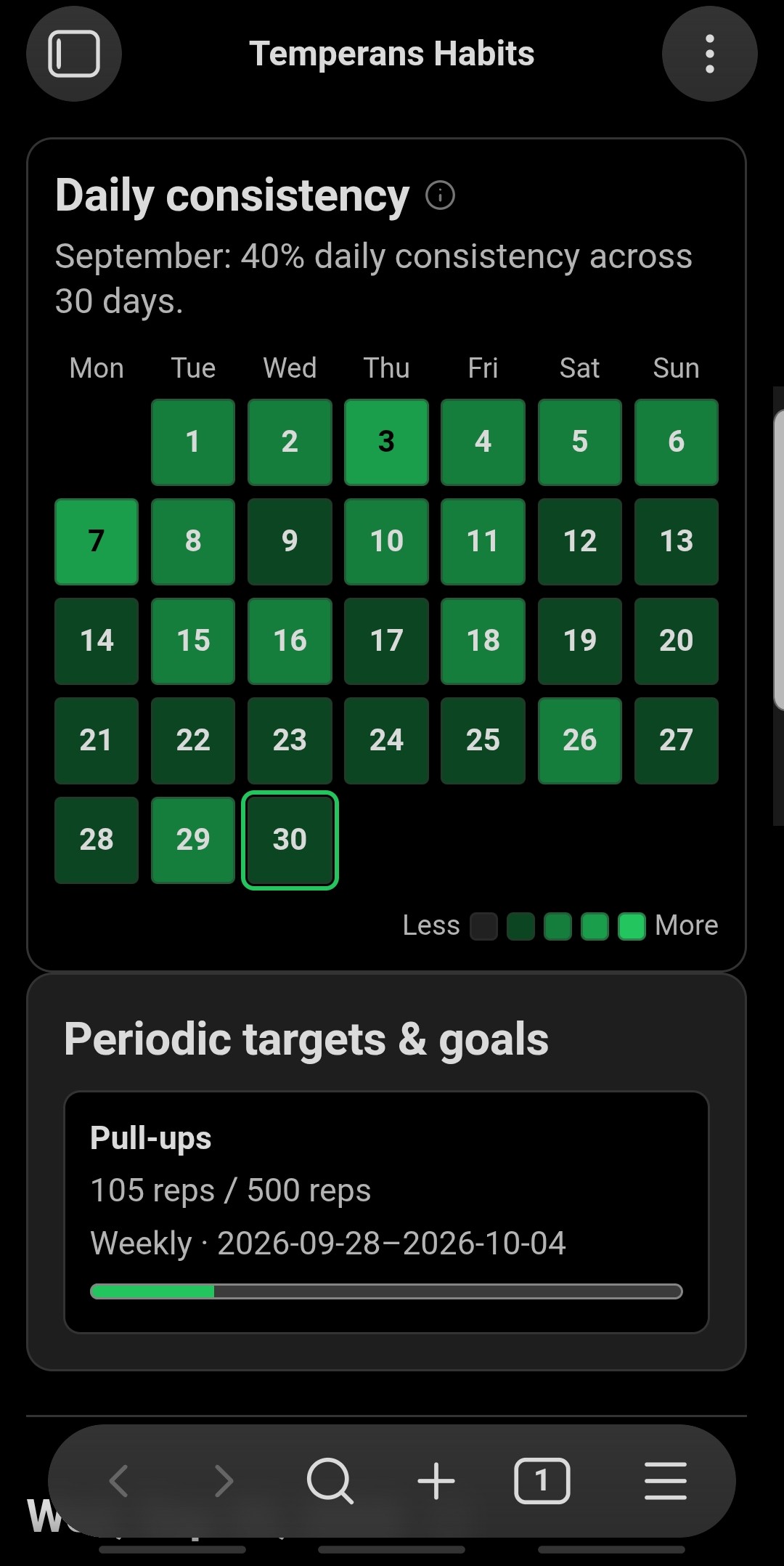
Continuous 4-shade progress gradients on desktop and adaptive 7×5 monthly calendars on mobile viewports.
Manual Ownership Guard
Manual journal entries take strict precedence. Automated API syncs and companion imports never overwrite manual notes.
Quick Start
Get your habit dashboard running in under two minutes.
Open the Habit Dashboard
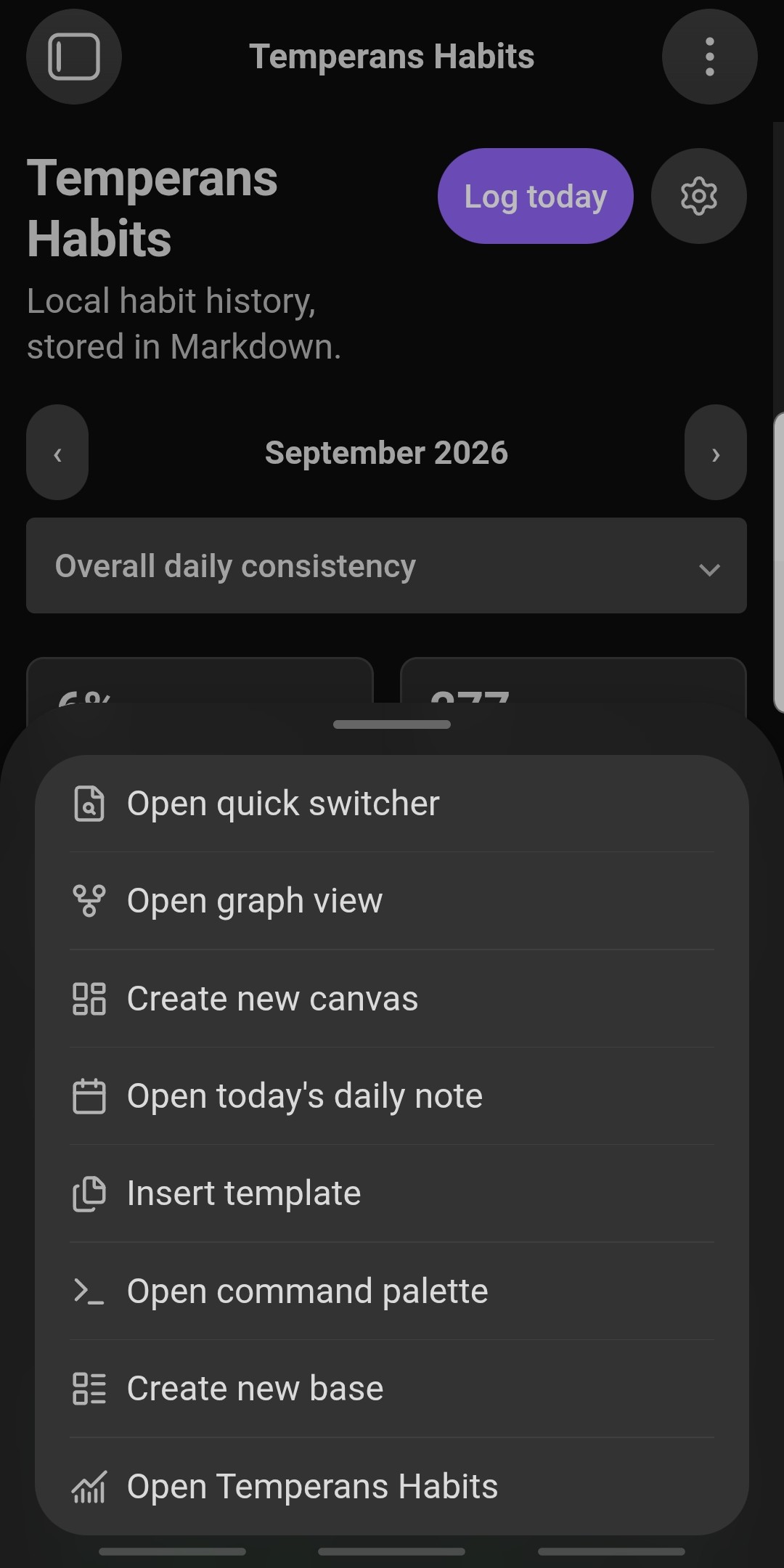
Click the calendar-check icon in the Obsidian left ribbon, or press Ctrl+P / Cmd+P and run Temperans Habits: Open habit dashboard. On mobile, launch it from the navigation drawer or command palette.
Configure Habits or Pick Presets
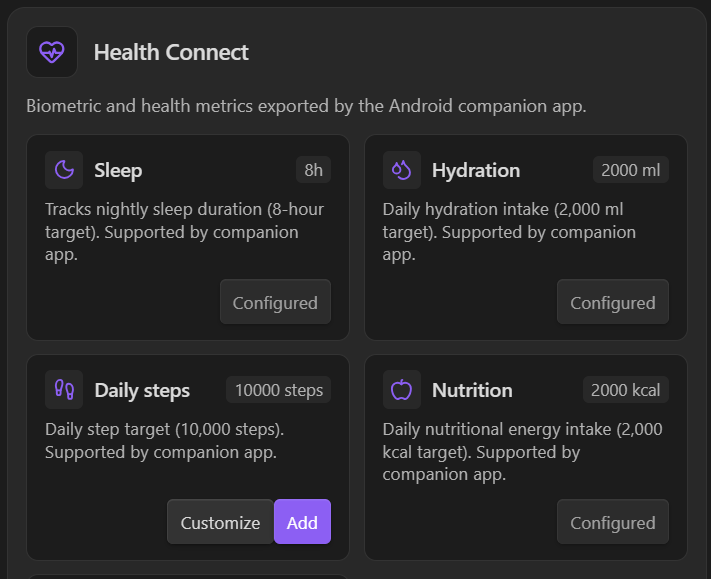
New vaults start with one clean starter habit (Reading). Open Settings → Temperans Habits → Configure habits to add custom habits, or click Browse presets to enable Sleep, Hydration, Daily steps, Nutrition, Exercise, GitHub contributions, or Typing practice in one click.
Log Today's Progress
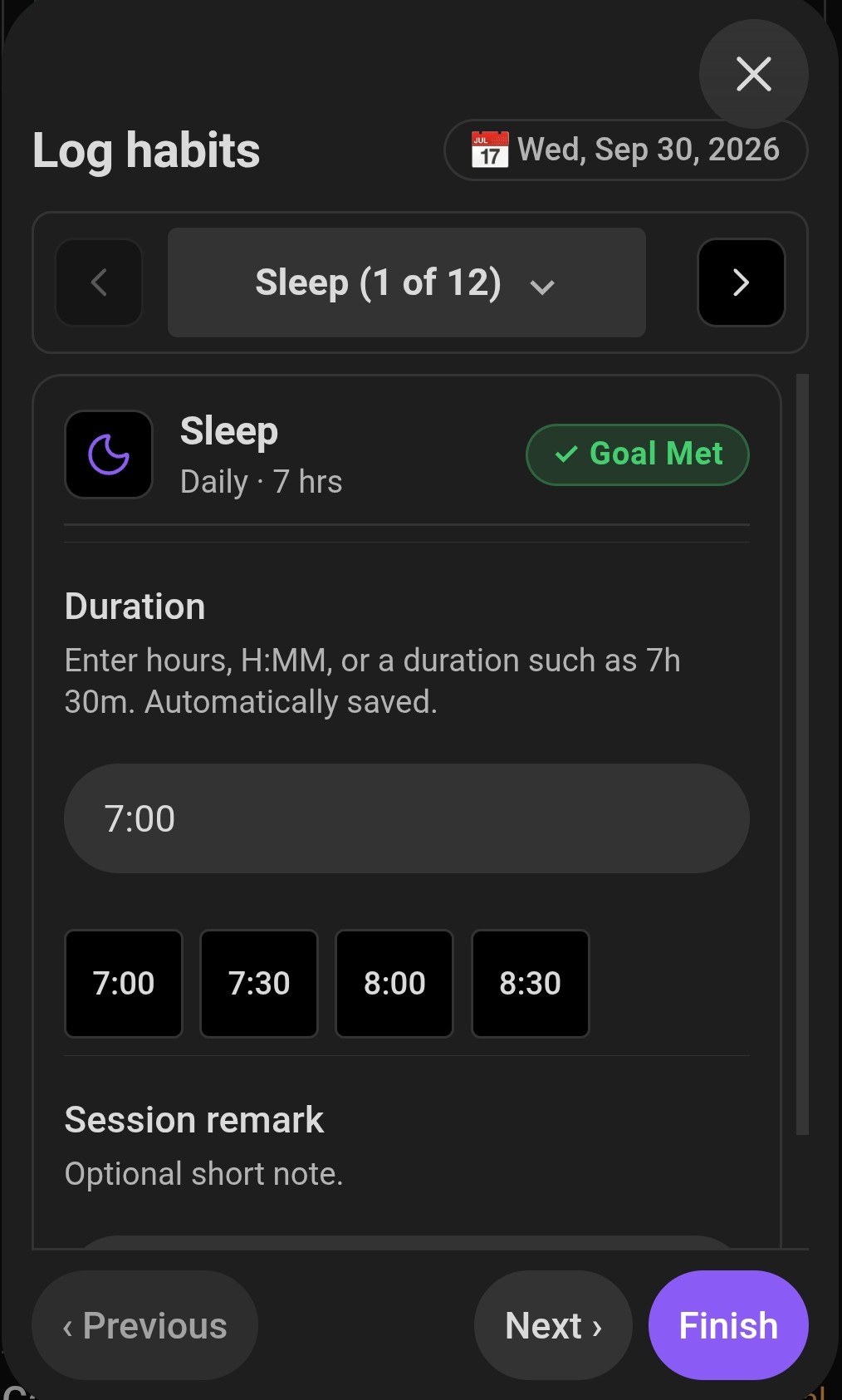
Click Log today in the dashboard header. Tap quick-entry pills, enter numbers, or type natural durations like 1h 30m, 45m, or 1:30. Multi-entry habits (like books or workouts) support individual session titles and notes.
Import Health Connect & API Data (Mobile or Desktop)
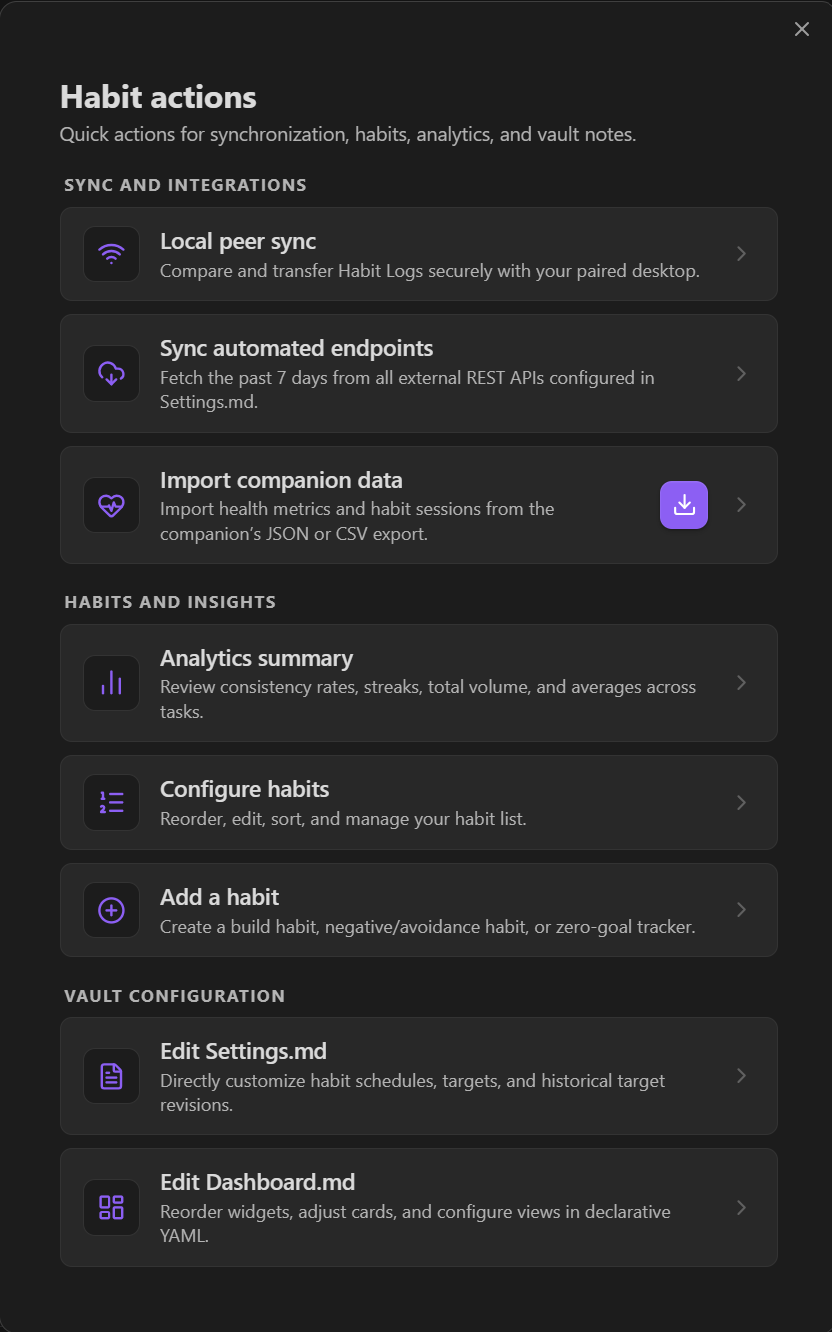
Export Android Health Connect metrics to habit-sync-staging.json (or .csv) using the Temperance Companion app, then click Import companion data in Obsidian on either mobile or desktop whenever the staging file is in your vault. If you don't use a cloud vault sync tool between devices, you can also use optional Local Peer Sync over Wi-Fi.
Installation
Choose how you want to install the Obsidian plugin, plus the optional Android Health Connect bridge.
Obsidian Community Plugins
Install directly from Obsidian's built-in plugin directory for one-click setup and automatic updates.
- 01 Open Settings → Community plugins
- 02 Select Browse & search
Temperans Habits - 03 Click Install, then Enable
GitHub Release Assets
Download attested release assets directly into your vault's plugin directory: .obsidian/plugins/temperans-habits/.
Health Connect Bridge
Stage Android Health Connect metrics (sleep, steps, hydration, nutrition) into JSON or CSV for the plugin to import.
Habit Archetypes & Cadences
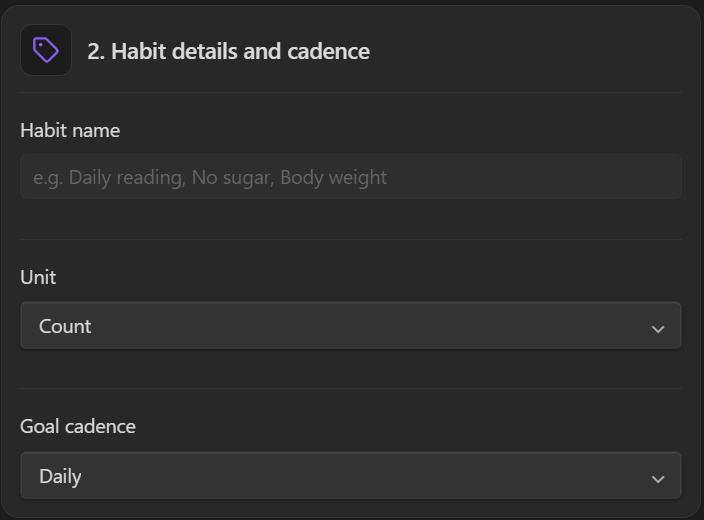
Model positive routines, habits you want to quit, and neutral biometric trackers across daily, weekly, monthly, quarterly, or annual schedules.
-
✓Build Habits (Positive Targets)
Reach daily or periodic milestones (e.g. Read 15 pages, 30 min exercise). Streaks increment when hitting 100% of your target.
-
✓Avoidance Habits (Quit / Limit)
Minimize slips (e.g. No Junk Food, No Smoking). Clean days (0 slips) build streaks; values above tolerance register slips.
-
✓Zero-Goal Metric Trackers
Record numerical variables (Weight, Mood, Blood Pressure). Missing a day never penalizes streaks or consistency scores.
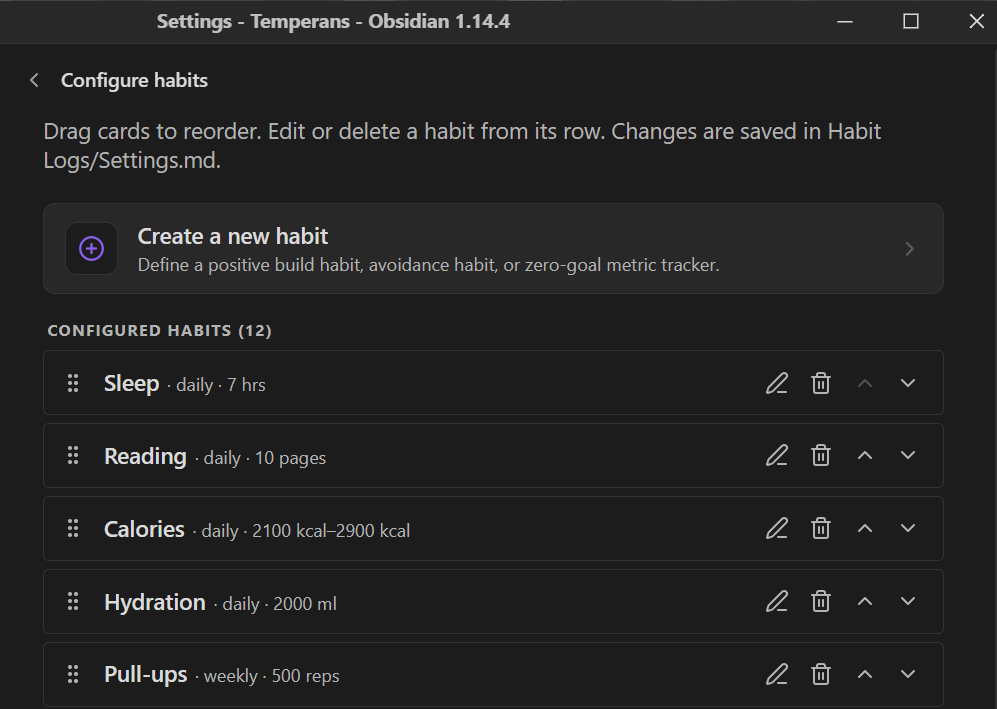
Preset Templates
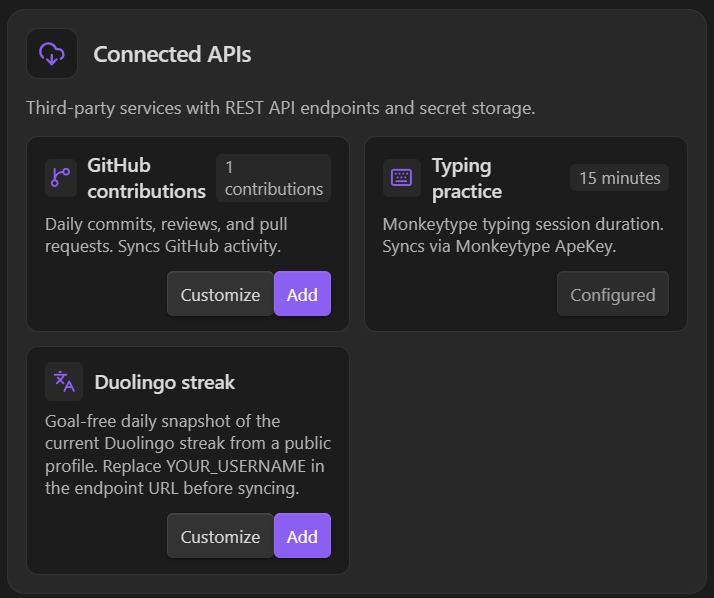
Start clean with zero bloat, then add pre-configured Health Connect metrics or API integrations whenever you need them.
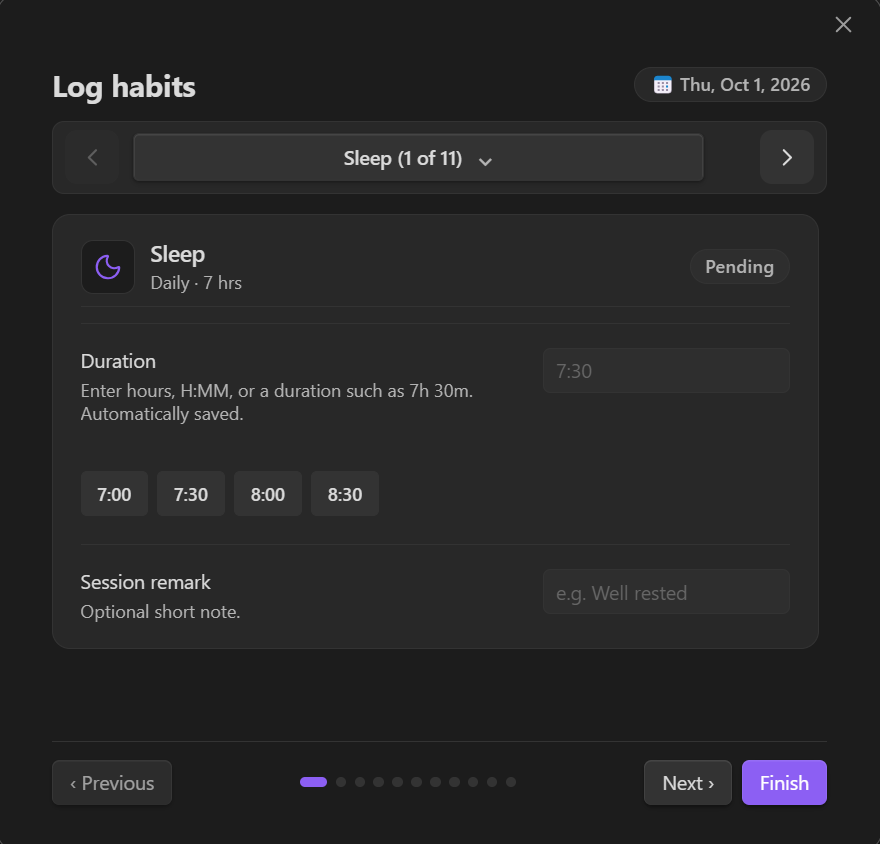
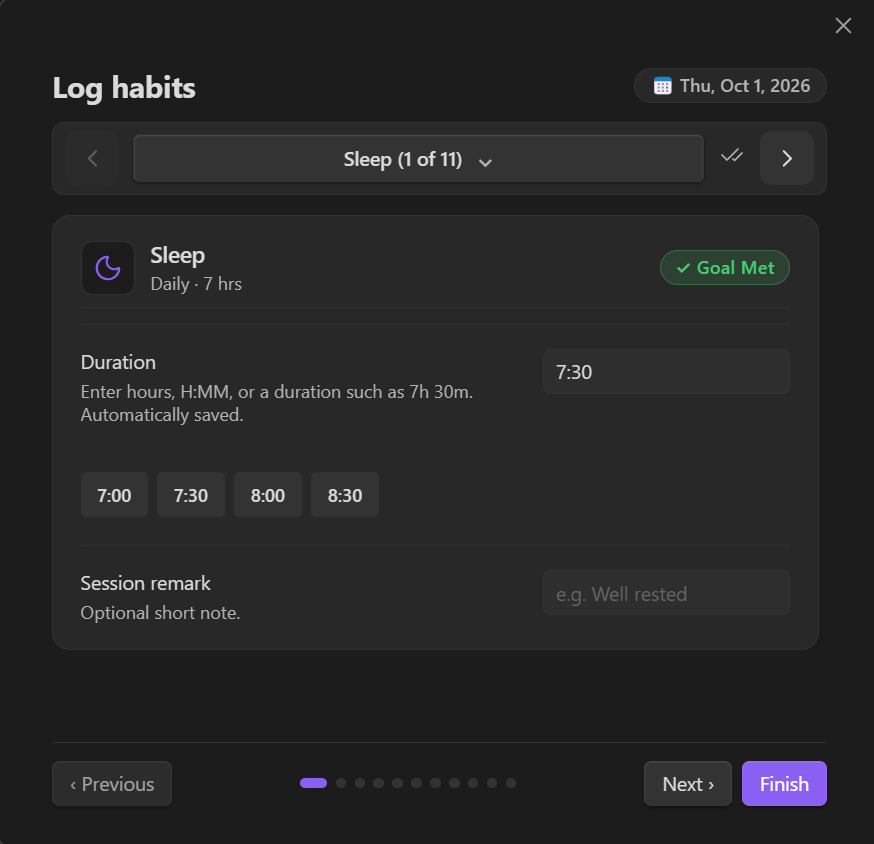
Daily Logging & Sessions
Log values with quick-entry pills or natural duration strings like 1h 30m, 90m, or 1:30. Record multi-entry sessions with custom titles and reflections.
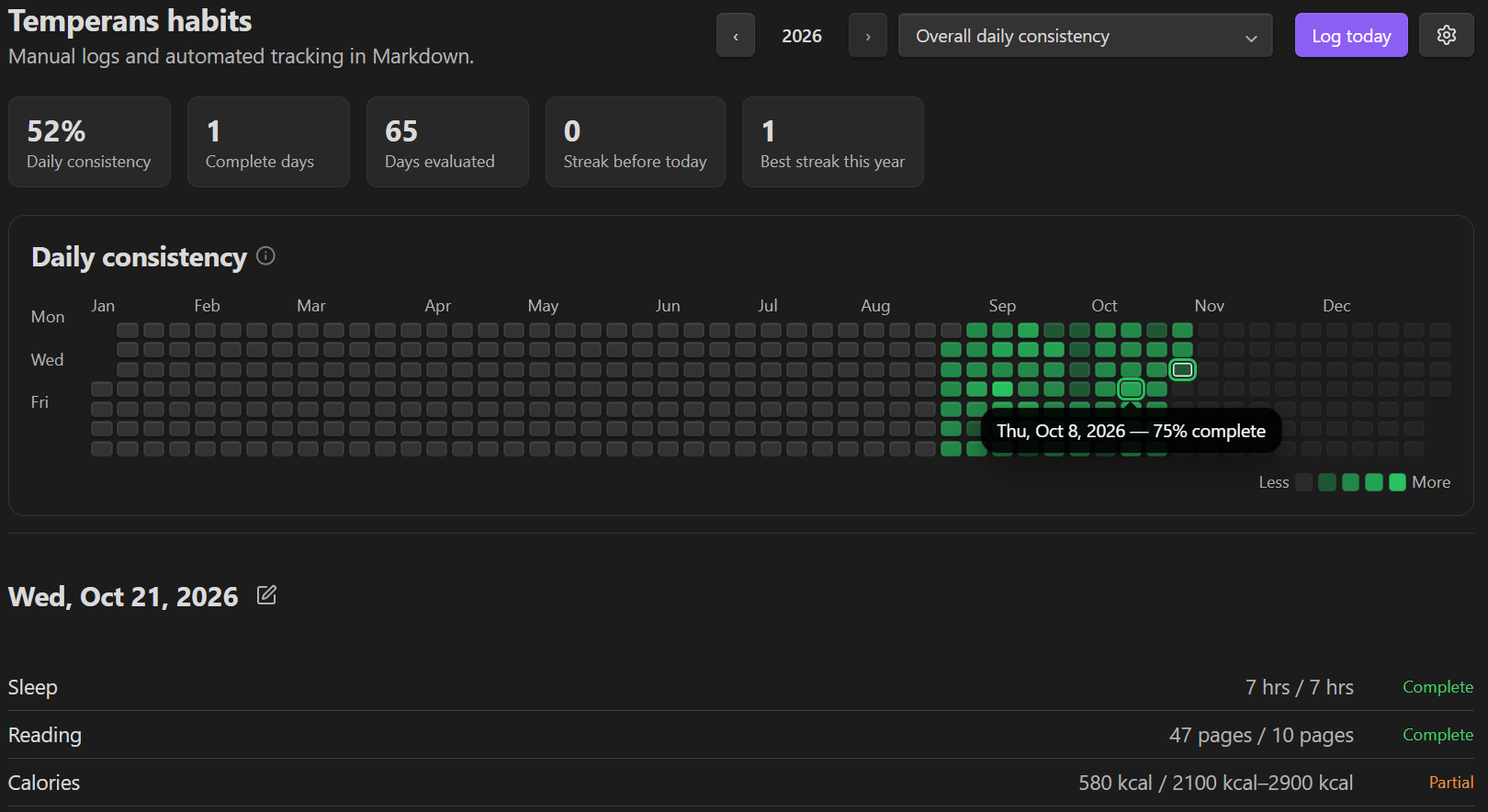
Heat Maps & Responsive Mobile View
Inspect any day across the 53-week annual grid on desktop, or switch automatically to a touch-friendly 7×5 monthly calendar on mobile.
Analytics & Insights
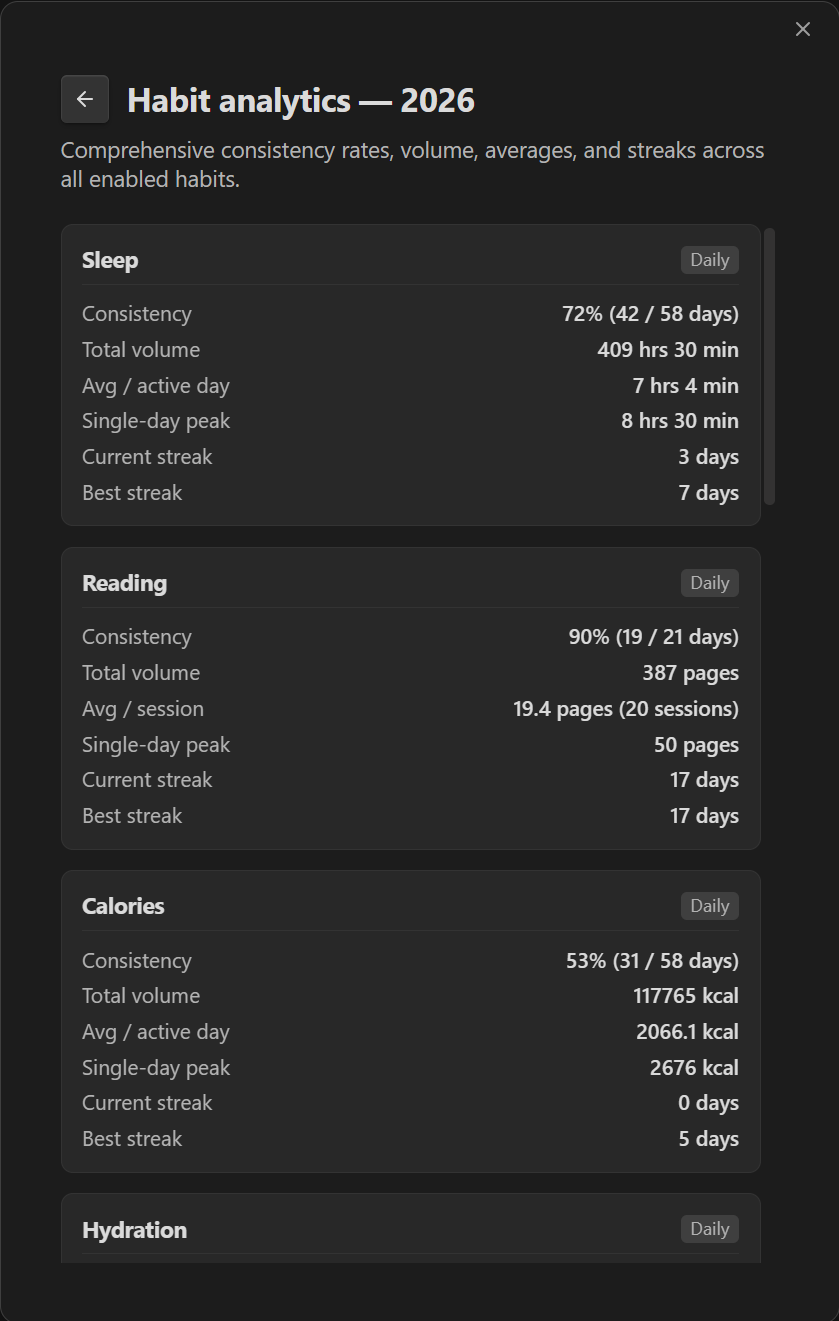
Track consistency rates, cumulative volume, active-day averages, streaks, and single-day peaks—accurately bounded from each habit's earliest effective date.
Declarative Layouts & Note Embeds
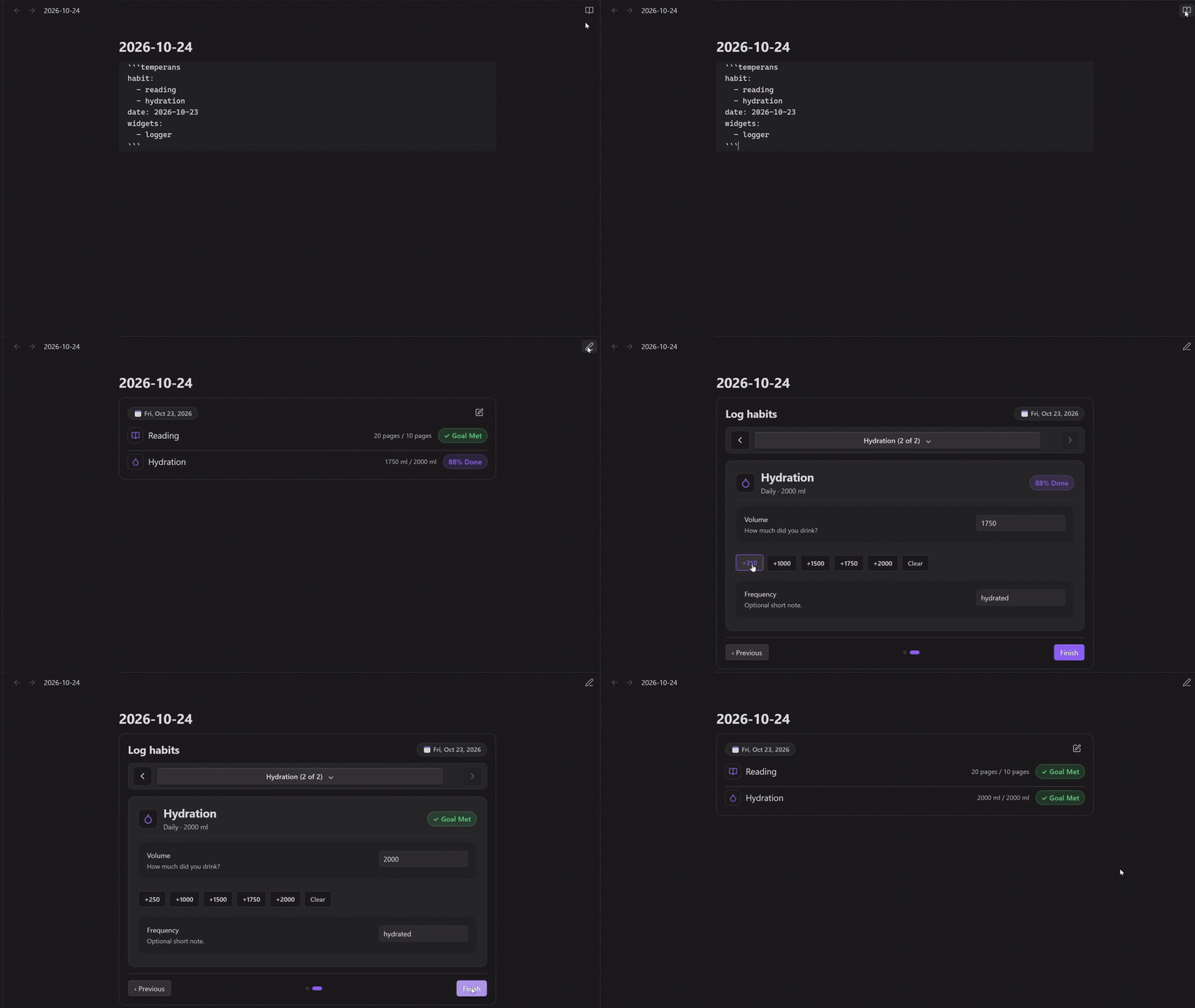
Customize widget order in Habit Logs/Dashboard.md or embed live habit widgets and interactive loggers inside any note using ```temperans or ```temperans-dashboard.
```temperans
habits:
  - reading
  - sleep
  - hydration
date: 2026-10-21
widgets:
  - logger
```-
✓Optional Habit & Date Filters
Without a habit or category filter, the logger displays all enabled habits; omitting
dateautomatically logs for today. -
✓Category Loggers
Set the optional Category field when creating or editing a habit, or add
category: Fitnessto its entry inSettings.md. Usecategory: Fitnesswithwidgets: [logger]in an embed to log that group. Matching ignores capitalization and includes enabled habits only. Category filters apply to logger widgets. -
✓Interactive Flow & Auto-Collapse
Log sessions, quick-adjust values with pills, and click Finish to collapse into a clean summary card. Click anytime to re-expand.
-
✓Concise Tag (
```temperans)Use
```temperansor legacy```temperans-dashboardinterchangeably across your vault.
```temperans
habit: reading
year: 2026
widgets:
  - stats
  - calendar
  - day-detail
```
Combine any widgets—including header, stats, calendar, period-goals, day-detail, and logger—to build custom dashboards right inside project notes, weekly reviews, or homepages.
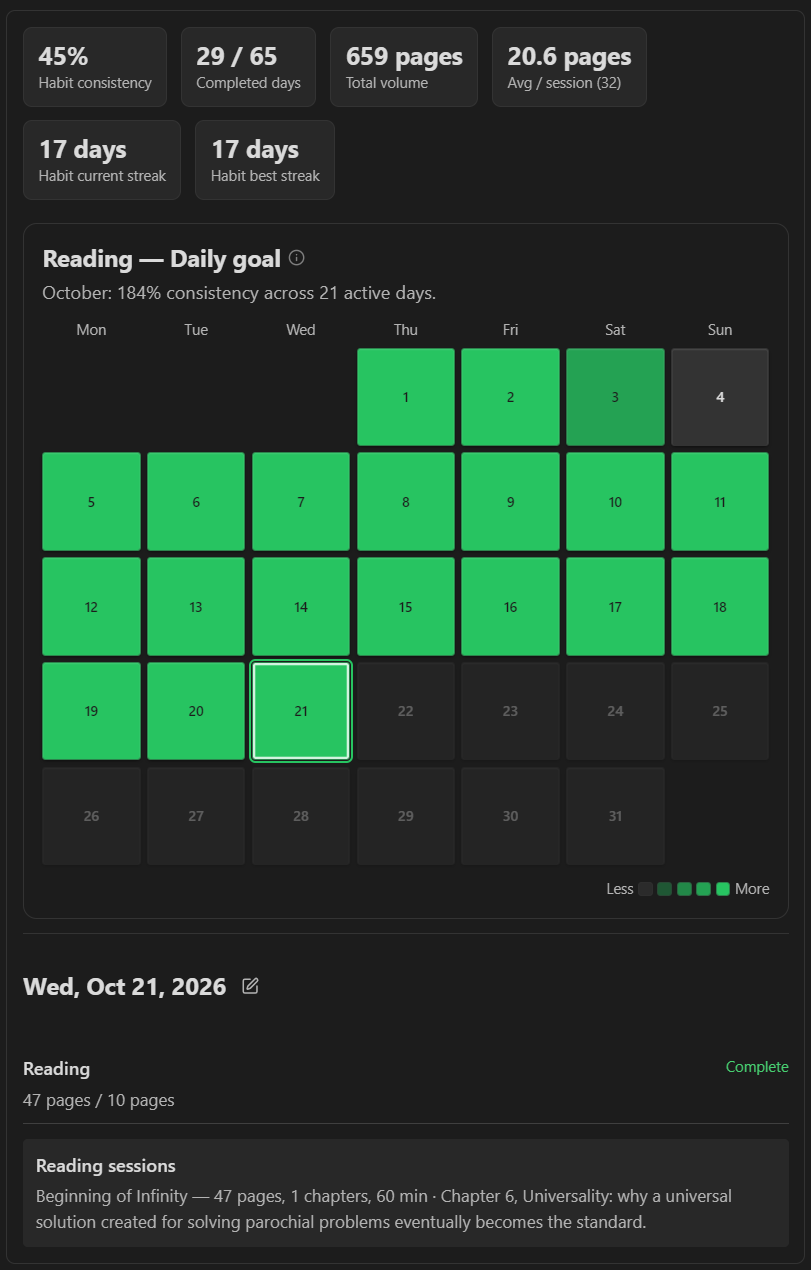
temperans codeblock showing stats, monthly calendar, and reading session notes.Android Health Connect Staging & Ingestion
Obsidian plugins cannot query Android's native Health Connect APIs directly. Temperance Companion bridges this gap privately: it reads your permission-granted Health Connect metrics (sleep, steps, hydration, nutrition, exercise) and writes a local staging file (habit-sync-staging.json or habit-sync-staging.csv) into your vault folder—with zero internet permissions.


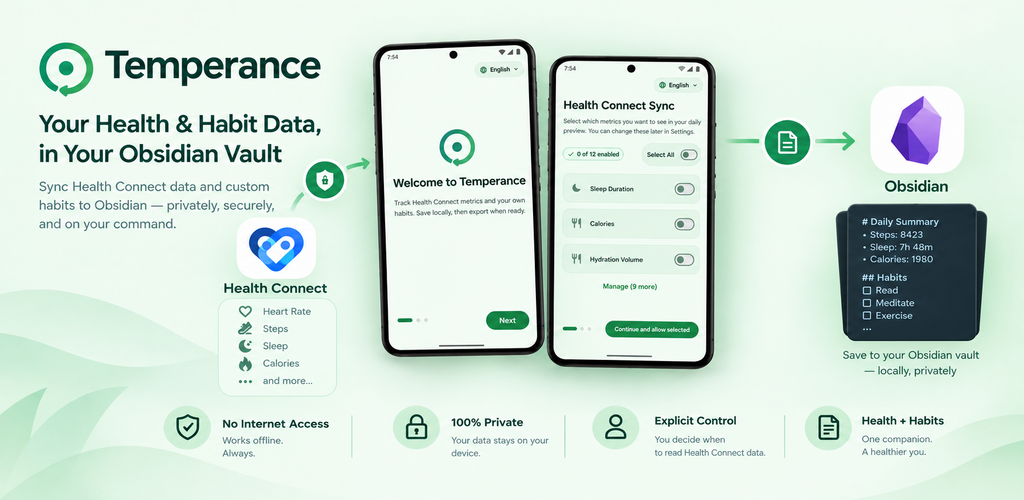
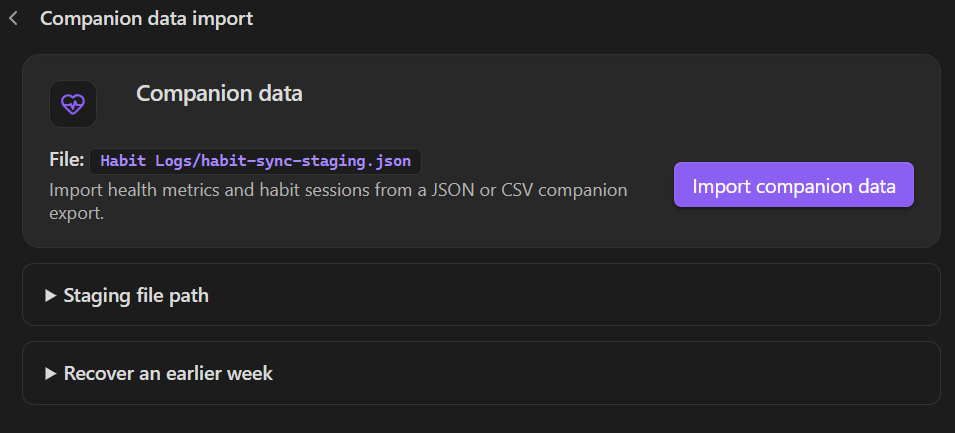
-
1Export Health Connect to Staging
Grant read access in Temperance Companion and export the past 7 days to
habit-sync-staging.jsonor.csvinside yourHabit Logsfolder. -
2Import on Mobile or Desktop
Run Import companion data in Obsidian (via Habit actions or Settings). Works directly on mobile or on desktop whenever the staging file is present in your vault.
-
+Bonus: Quick Offline Timers & Counters
Optionally record quick habit timers or rep counters on the go; they are bundled into the same staging file on export.
Encrypted Local Peer Sync
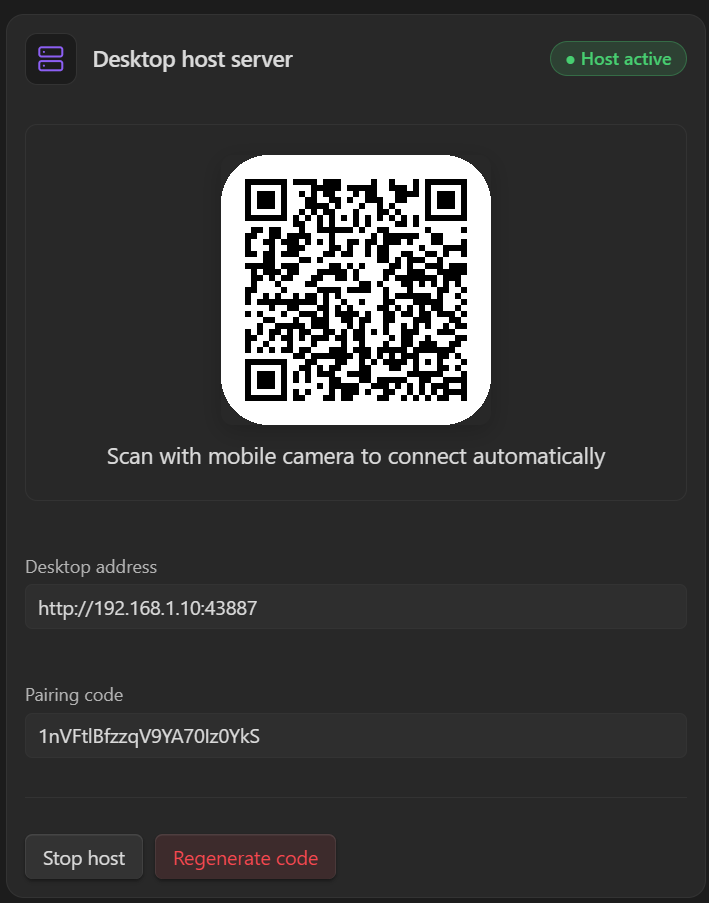
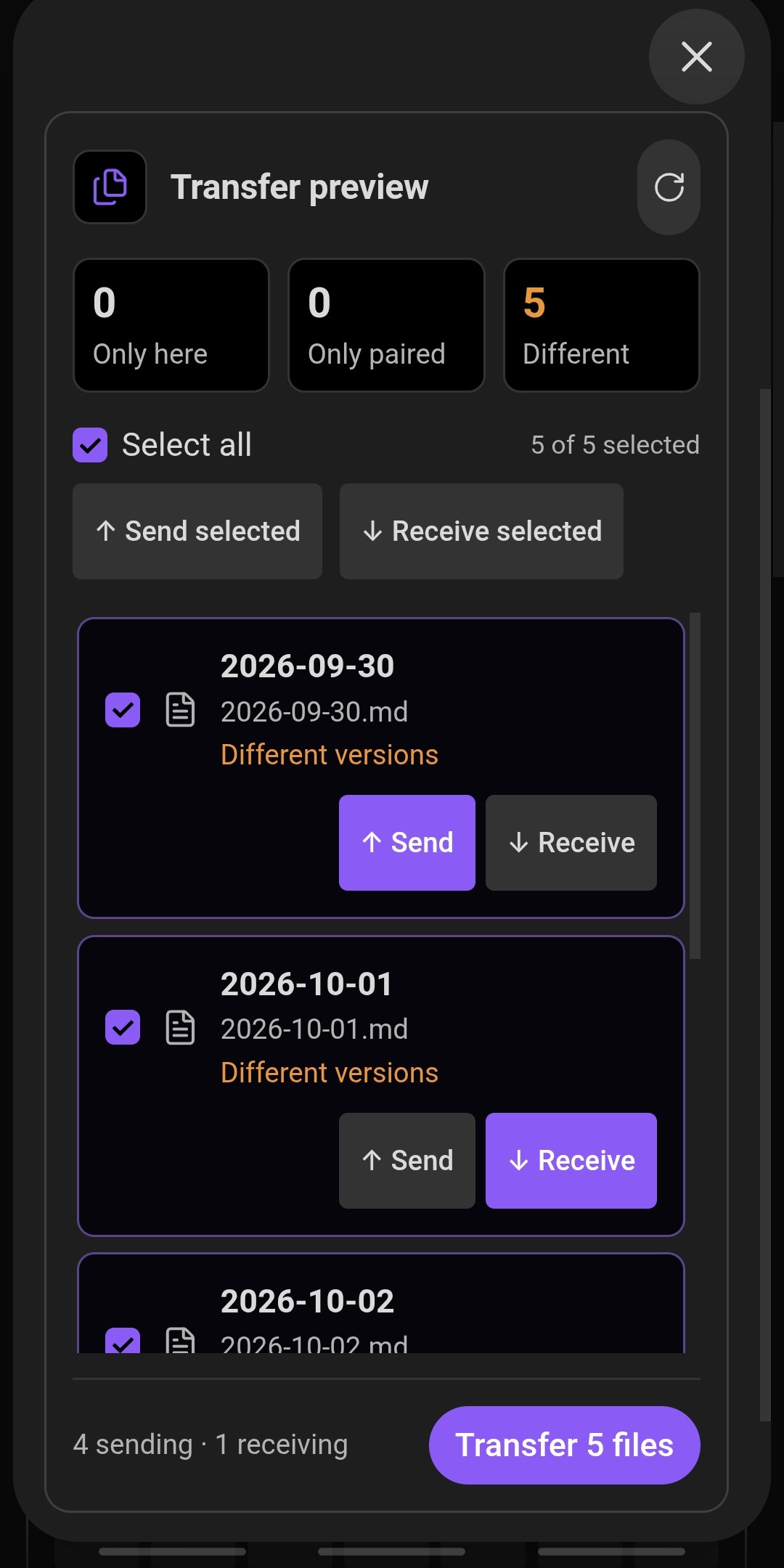
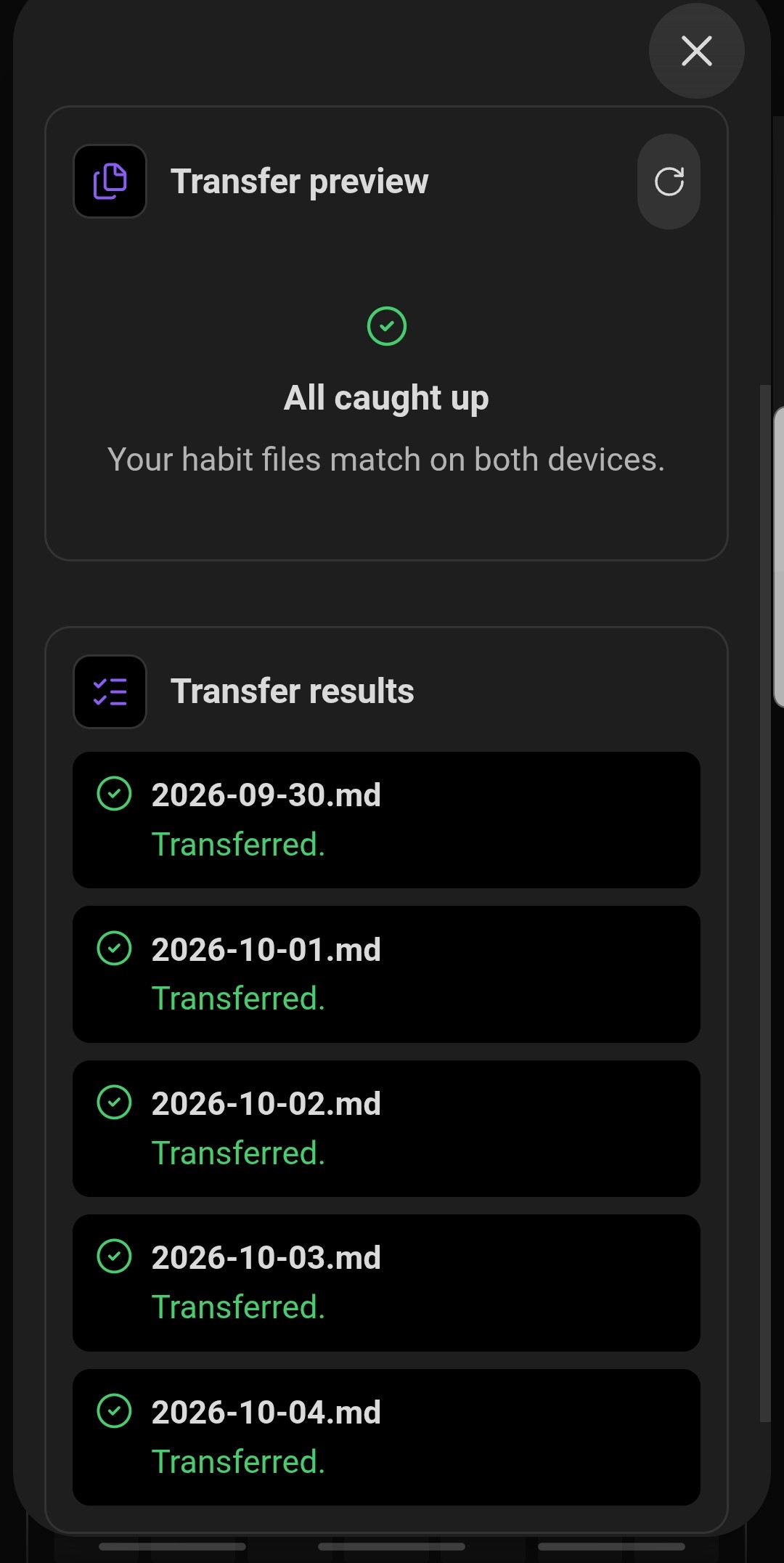
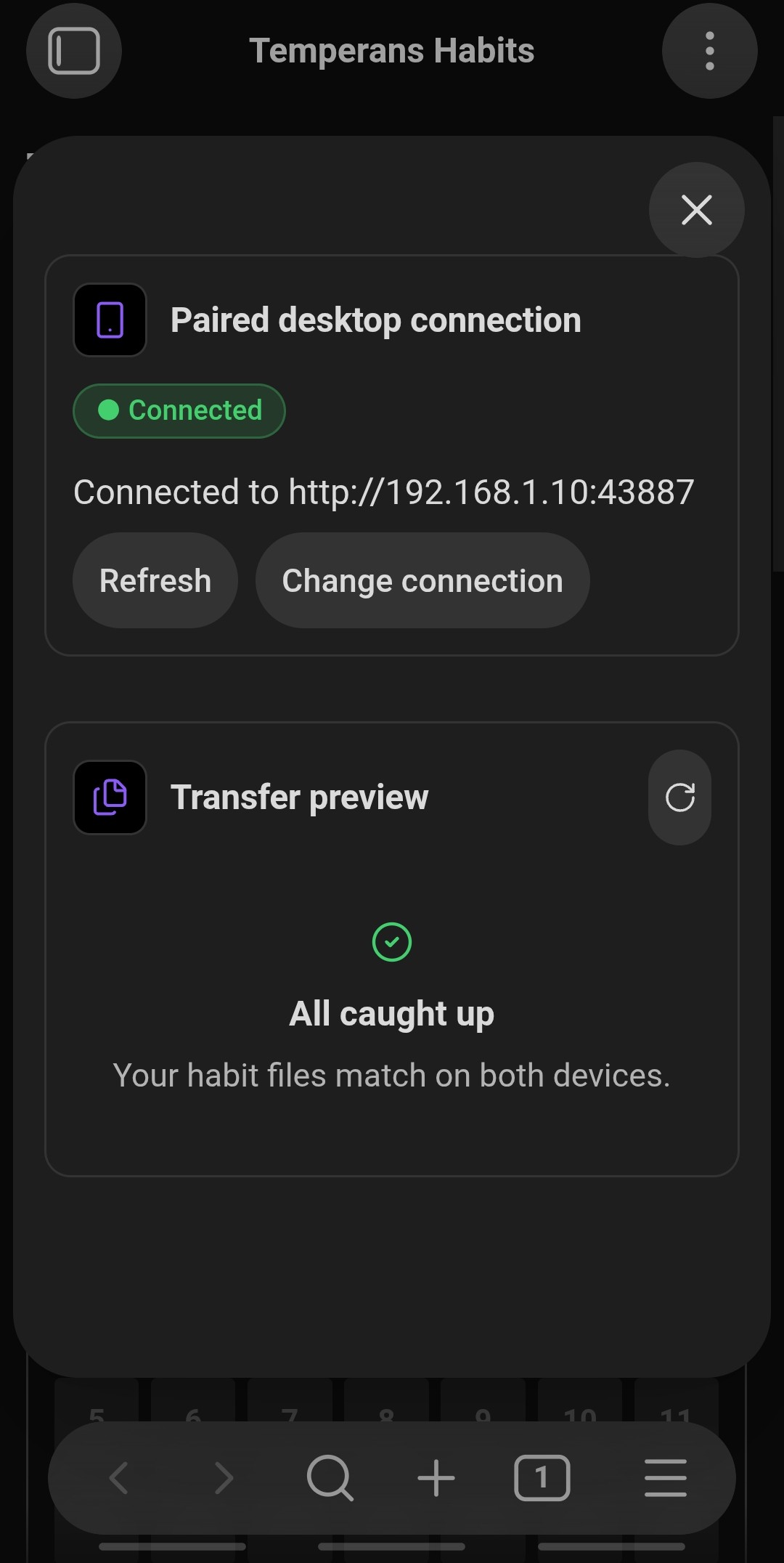
Don't use Obsidian Sync, Syncthing, or a cloud drive between your phone and computer? Local Peer Sync is a built-in, zero-cloud alternative that transfers Settings.md and dated daily logs directly over your local Wi-Fi using authenticated AES-256-GCM encryption.
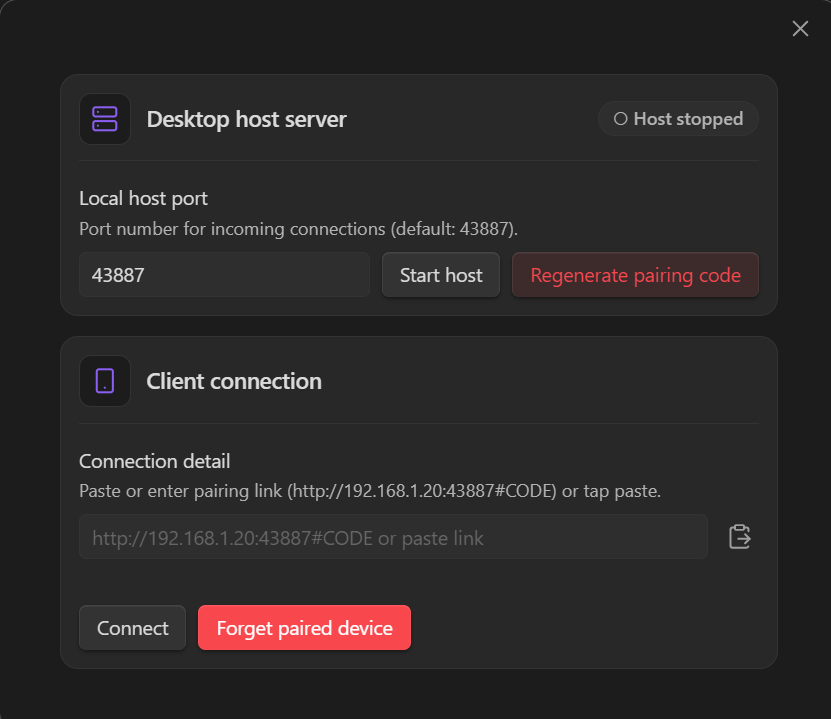
Automated REST & GraphQL APIs
Fetch activity from external APIs declaratively in Habit Logs/Settings.md. API keys and personal access tokens are stored in Obsidian secret storage—never in plain Markdown.
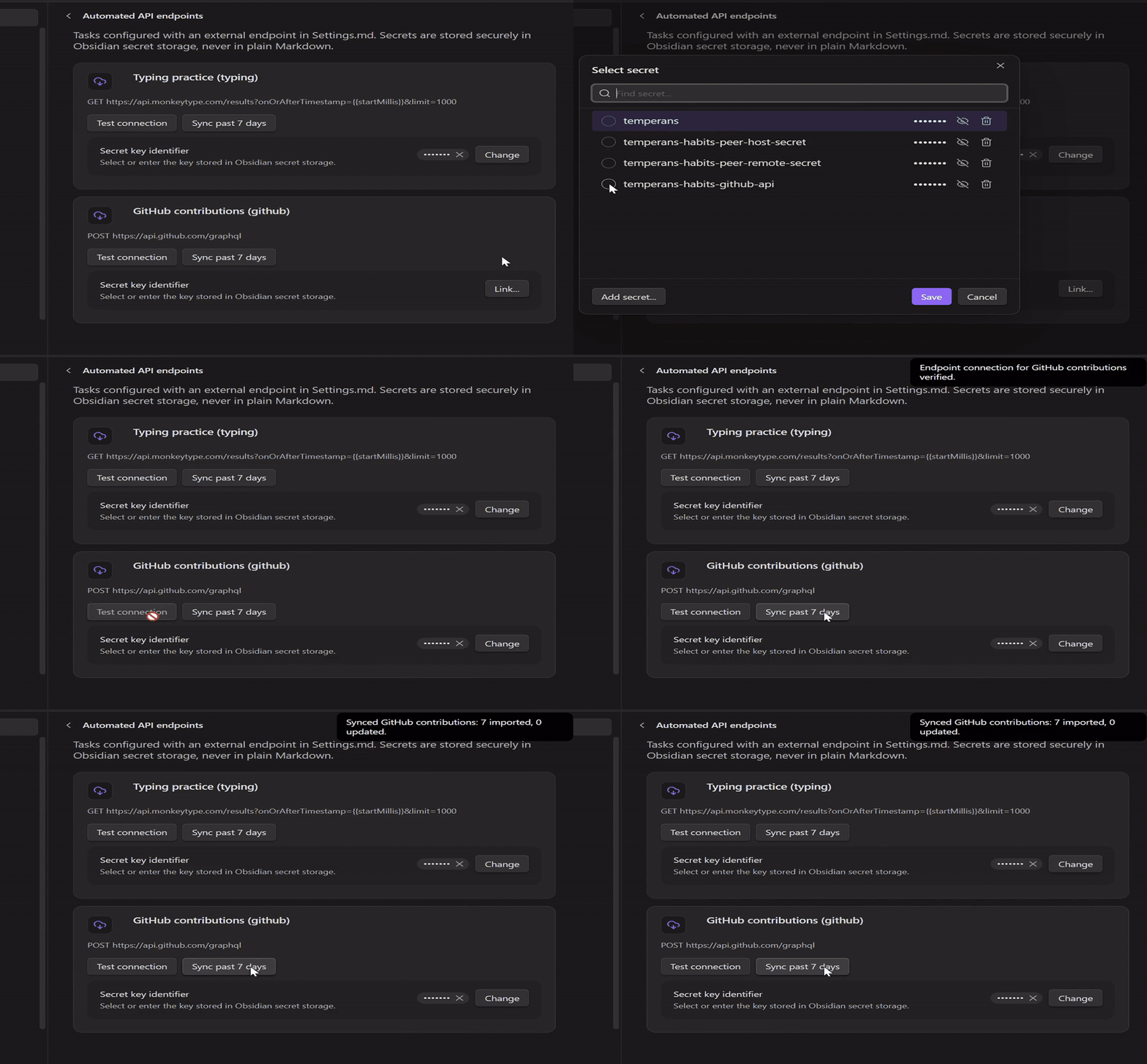
- id: github
  name: GitHub contributions
  unit: contributions
  cadence: daily
  enabled: true
  targetHistory:
    - effectiveDate: 2026-01-01
      min: 1
  endpoint:
    sourceName: github
    method: POST
    url: "https://api.github.com/graphql"
    headers:
      Content-Type: "application/json"
      User-Agent: "Temperans-Habits"
    auth:
      type: header
      headerName: Authorization
      secretKey: "temperans-habits-github-token"
      prefix: "Bearer "
    body:
      query: "query($from: DateTime!, $to: DateTime!) { viewer { contributionsCollection(from: $from, to: $to) { contributionCalendar { weeks { contributionDays { date contributionCount } } } } } }"
      variables:
        from: "{{startDateIso}}"
        to: "{{todayIso}}"
    response:
      recordsPath: data.viewer.contributionsCollection.contributionCalendar.weeks.contributionDays
      dateField: date
      valueField: contributionCount
aggregation: sum- id: typing
name: Typing practice
unit: minutes
cadence: daily
enabled: true
targetHistory:
- effectiveDate: 2026-01-01
min: 15
endpoint:
sourceName: "monkeytype"
url: "https://api.monkeytype.com/results?onOrAfterTimestamp={{startMillis}}&limit=1000"
testUrl: "https://api.monkeytype.com/users/currentTestActivity"
auth:
type: header
headerName: Authorization
secretKey: "temperans-habits-monkeytype-apekey"
prefix: "ApeKey "
response:
recordsPath: "data"
dateField: "timestamp"
valueField: "testDuration"
aggregation: sum
valueTransform: "divideBy:60"API Recipe Gallery
Copyable YAML recipes showing how the generic endpoint runner turns astronomy data, weather readings, smart-home sensors, and public event streams into daily metrics.
- id: moon-earth-distance
  name: Moon distance from Earth
  unit: km
  cadence: daily
  enabled: true
  type: tracker
  targetHistory:
    - effectiveDate: 2026-01-01
  endpoint:
    sourceName: nasa-horizons
    method: GET
    url: "https://ssd.jpl.nasa.gov/api/horizons.api?format=json&COMMAND=%27301%27&OBJ_DATA=NO&MAKE_EPHEM=YES&EPHEM_TYPE=OBSERVER&CENTER=500%40399&START_TIME=%27{{today}}%2012%3A00%27&STOP_TIME=%27{{today}}%2012%3A01%27&STEP_SIZE=%271%20d%27&QUANTITIES=20&RANGE_UNITS=KM&CSV_FORMAT=YES"
    response:
      recordsPath: result
      dateField: "{{today}}"
      valuePattern: "\\$\\$SOE[\\s\\S]*?\\r?\\n[^\\r\\n]*?,\\s*([+-]?(?:\\d+(?:\\.\\d*)?|\\.\\d+)(?:[Ee][+-]?\\d+)?)"
aggregation: latest- id: small-body-approaches
name: Near-Earth asteroid and comet approaches
unit: events
cadence: daily
enabled: true
type: tracker
targetHistory:
- effectiveDate: 2026-01-01
endpoint:
sourceName: nasa-jpl
method: GET
url: "https://ssd-api.jpl.nasa.gov/cad.api?date-min={{startDate}}&date-max={{endDate}}&dist-max=0.05&nea-comet=true&neo=false"
response:
recordsPath: data
dateField: "3"
aggregation: count- id: outdoor-humidity
name: Outdoor relative humidity
unit: percent
cadence: daily
enabled: true
type: tracker
targetHistory:
- effectiveDate: 2026-01-01
endpoint:
sourceName: open-meteo
method: GET
url: "https://api.open-meteo.com/v1/forecast?latitude=51.5072&longitude=-0.1276¤t=relative_humidity_2m&timezone=Europe%2FLondon"
response:
recordsPath: current
dateField: time
valueField: relative_humidity_2m
aggregation: latest- id: living-room-temperature
name: Living-room temperature
unit: "°C"
cadence: daily
enabled: true
targetHistory:
- effectiveDate: 2026-01-01
min: 18
max: 27
endpoint:
sourceName: home-assistant
method: GET
url: "https://YOUR_HOME_ASSISTANT_HOST/api/history/period/{{startDateIso}}?end_time={{endDateIso}}&filter_entity_id=sensor.living_room_temperature&minimal_response"
auth:
type: header
headerName: Authorization
secretKey: "home-assistant-token"
prefix: "Bearer "
response:
recordsPath: "*"
dateField: last_changed
valueField: state
aggregation: average- id: pubmed-sleep-research
name: New sleep and habit papers
unit: papers
cadence: daily
enabled: true
type: tracker
targetHistory:
- effectiveDate: 2026-01-01
endpoint:
sourceName: pubmed
method: GET
url: "https://eutils.ncbi.nlm.nih.gov/entrez/eutils/esearch.fcgi?db=pubmed&term=sleep%5Btiab%5D+AND+habits%5Btiab%5D&reldate=7&datetype=edat&retmode=json&retmax=0"
response:
recordsPath: esearchresult
dateField: "{{today}}"
valueField: count
aggregation: latest- id: usgs-earthquake-count
name: Global earthquakes (M2.5+)
unit: events
cadence: daily
enabled: true
targetHistory:
- effectiveDate: 2026-01-01
min: 1
endpoint:
sourceName: usgs
method: GET
url: "https://earthquake.usgs.gov/fdsnws/event/1/query?format=geojson&starttime={{startDate}}&endtime={{endDateIso}}&minmagnitude=2.5&limit=20000"
headers:
Accept: "application/json"
response:
recordsPath: features
dateField: properties.time
aggregation: countMarkdown Data Schema
Each day is stored as a standard Markdown file with clean YAML frontmatter. Body text and unrelated frontmatter properties are always preserved.
---
temperans: habit-log
temperans_schema: 3
date: 2026-08-22
calories: { value: 2200, source: health-connect }
guitar: { value: 30, source: manual, note: "Learned fingerstyle song" }
typing:
  value: 900
  value_unit: seconds
  tests: 15
  source: monkeytype
  imported: []
reading:
  sessions:
    - title: "Atomic Habits"
      pages: 25
      note: "Chapter 3"
---

Optional personal daily journal notes written in standard Markdown below frontmatter...